Prospect Intelligence Matrix (PIM) - ADVANCED
Prospect Intelligence Matrix (PIM) - ADVANCED
The 72-Logic Sales Command Center
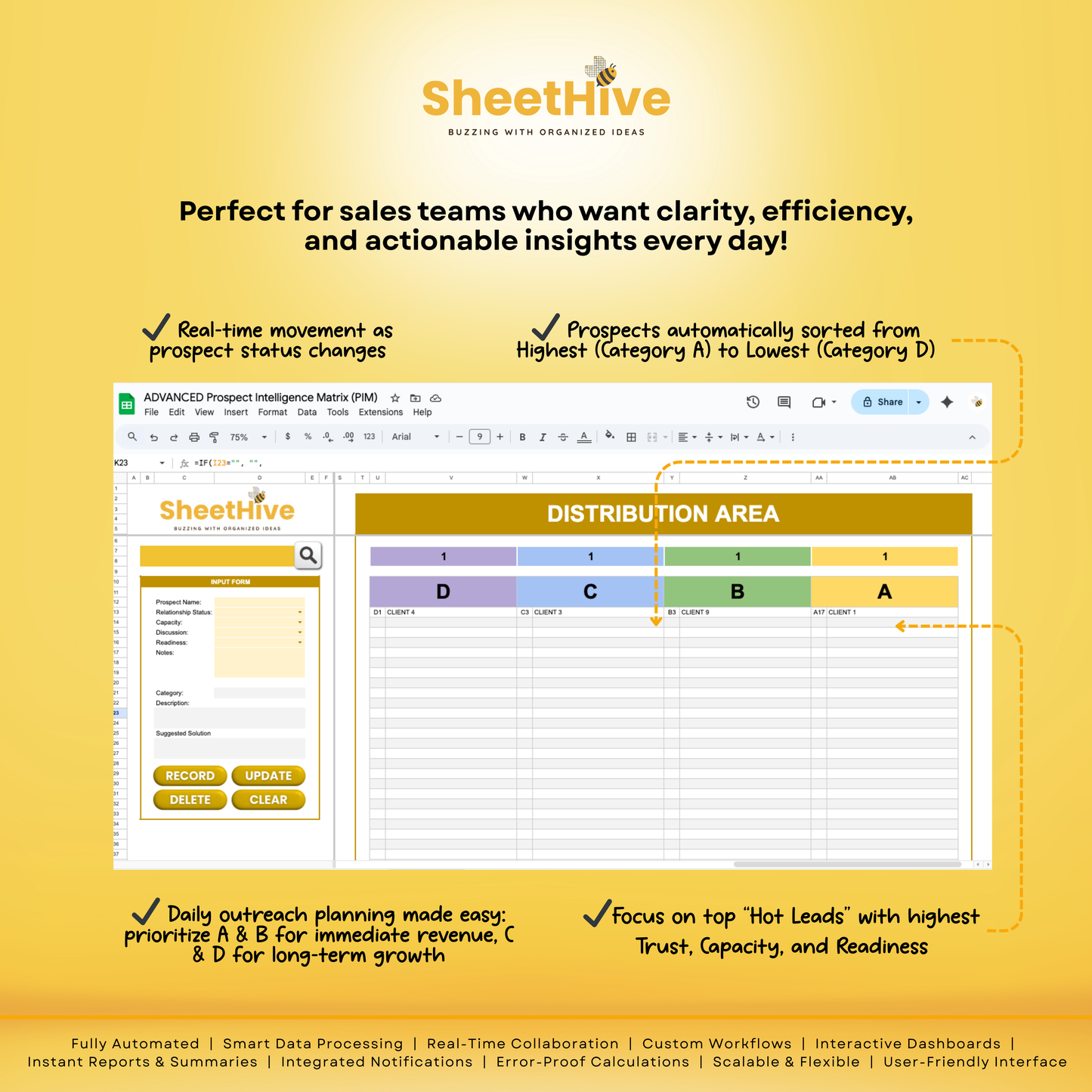
Stop guessing who to call. The ADVANCED PIM by SheetHive is a professional-grade CRM built in Google Sheets that turns messy lists into a high-converting sales engine. Using a proprietary 72-combination logic, it automatically analyzes your leads and ranks them from A (Hot) to D (Cold) based on trust, budget, and readiness.
🚀 THE 3-ZONE WORKFLOW
1. The Command Center (Input & Search)
-
App-Style Interface: Use custom buttons to Record, Search, Update, or Clear data without ever touching a cell.
-
Instant Retrieval: Search any name to pull up their full history and current DCBA status.
2. The Logic Engine (Master List)
-
Automated Grading: The system monitors 72 unique variables to assign a DCBA Category.
-
Integrity Guard: The "Grey Zone" is locked, ensuring your Suggested Solutions stay accurate.
-
Bulk Cleanup: Select multiple checkboxes and hit the Trashcan Button to delete dead leads instantly.
3. The Distribution Area (Priority Dashboard)
-
Daily Action Plan: Your leads are auto-sorted from Highest to Lowest.
-
"Slide Down" Logic: If a prospect loses budget or interest, the system automatically downgrades them, keeping your pipeline realistic.
📦 WHAT’S INCLUDED
-
ADVANCED PIM Google Sheets Template (Optimized for Desktop & Mobile).
-
72-Point Logic Matrix for precision lead scoring.
-
Suggested Solution Generator (Tells you exactly what step to take next).
-
One-Click Bulk Delete functionality for easy database management.
🎯 BEST FOR
-
Financial Advisors & Insurance Agents
-
Real Estate Professionals
-
B2B Sales & High-Ticket Coaches
-
Agency Owners & Network Marketers
Stop losing deals to poor follow-up. Upgrade to ADVANCED PIM.
Materials and care
Materials and care
Materials
- Digital Google Sheets template
- Built using Google Sheets structure and automation
- Cloud-based file (no physical materials included)
Care Instructions
- Always make a personal copy before editing
- Do not modify protected formulas or core structure
- Create backups regularly to avoid data loss
- Use a modern browser for best performance
- Keep the original file unchanged for future use
Merchandising tips
Merchandising tips
- Make a copy of the file before adding your data
- Review all tabs to understand the template structure
- Start with sample entries to learn the workflow
- Use filters and sorting for faster navigation
- Avoid deleting preset formulas or formatting
- Duplicate the file to archive completed records
- Keep your Google Drive organized with clear file names
- Access the template using a stable internet connection
Share